Wednesday, December 16, 2020

A Christmas Tree Pop-Up With Ornaments

A Christmas Tree Pop-Up With Ornaments

This Christmas Tree can be mailed as the hexagonal base and tree lie flat for mailing.  It will fit in an A7 envelope which is 5.25 in. x 7.25 in.

I used Neenah brand  65 lb WhiteGold metallic cardstock from Office Depot and  65 lb Recollections brand card stock from Michaels. I used wrapping paper to make the metallic spiral garland.

Here if the PDF.

Here is the .Studio file.

Here is the SVG.


Cut out the hexagonal base.

Fold the piece starting at the top, four mountain folds, one valley fold, one mountain fold, one valley fold and four mountain folds. Fold the two tabs on the sides of the three squares.

Turn the piece over and apply glue to the two rectangles adjacent to the center hexagon as shown above.

Fold the piece in half at the hexagon.  Part of the hexagon is now hidden from view as the rectangular area will be creating a ledge. 

Apply glue to the bottom tab as shown above.  Apply glue to the opposite top tab (not shown).

Adhere both sides down to make a hexagon sleeve.

Push the center hexagon inward.

Bend the hexagon into the center of the piece.

Bend the other side of the hexagon into the center of the piece.

This is what it looks like when the pieces are bent inward.

Apply glue to the tabs as shown.

Adhere the glue by pressing down in the center.

Push the bottom of the hexagon box into the hexagon sleeve.

Make sure the center slit does not have any glue in it.

Push the rectangular tree tab into the slit.

Pull the rectangular tree tab outward and apply glue on both sides of the rectangle as shown above.
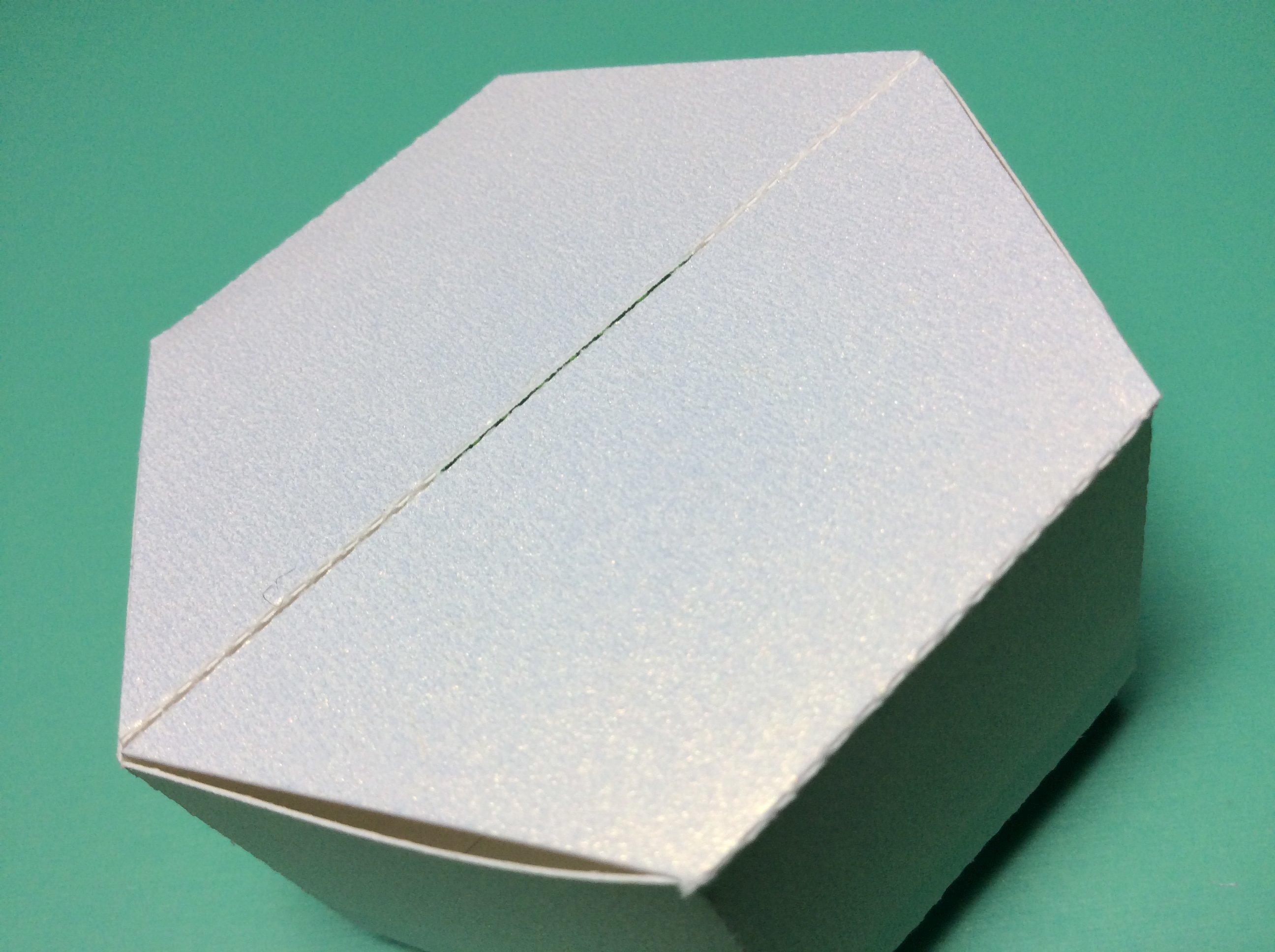
Insert the rectangular tree tab into the base. Turn the piece over to make sure the tree tab is flush with the bottom.

Completed rectangular tree tab to attach the tree to the base.

Glue the three sections of the tree together. And then glue the other three sections together to make two halves.

Glue the two halves of the star together.

Glue the star to half of the tree and apply glue to the tree as shown.

Apply glue to both sides of the rectangular tree tab.  Adhere the two sides of the tree around the rectangular tree tab by sandwiching the two sections of the tree together.

Completed tree


It is possible to make a larger sized tree using the same hexagonal base and ornaments. I resized the original tree (six pieces of the tree shape) to be 125% bigger in the Transform Scale Window in the Silhouette software. The larger sized tree is shown on the right. 

Tuesday, December 15, 2020

A Kinder Joy Box For Christmas Gift Giving


Kinder Joy Christmas Boxes

My grandchildren love Kinder Joy eggs.  I bought a box of 12 eggs from Costco and decided to make a Christmas box for the egg.  I made three different designs, a Christmas tree, a Santa and a Gnome. The design is not perfect as I feel there is a buckle in the side of the box.  My constraints are the size of an 8 1/2 x 11 piece of paper. I would make the box a tad bigger if I had the room.  I think this box is the best I can make it. I could make the box in two pieces.  However, I want the box to be simple and a one piece box fits my goal of being simple to make.

Here is the PDF.   I used 65 lb foil cardstock from Michaels for the green, gold and red foil.  I used Neenah brand WhiteGold metallic cardstock from Office Depot.

Here is the .Studio file.

Here is the SVG.

The tab in the back slides into the box.  You can put a sticker on it to seal the box if necessary.

These Kinder Joy eggs make a great gift to give to neighbors.

Monday, December 14, 2020

A Zig-Zag Winter Scene Card

Zig-Zag Winter scene card laying flat. I love the pop of color from the red cardinal.


This is a beautiful zig-zag winter scene card to give as a holiday card. The scenery in this slice form depicts a snowy scene in a mountain village. Two children are ice skating in a pond near a church.  A deer and a red cardinal are standing watch over the scene.   The card is 5 1/2 inches tall x 5 inches wide.

The scenes are glued together to create the card.

The scenes are connected in a zig zag design.

The back of the card looks just as good as the front of the card. The back scene has the tab glued first and then the metallic paper is glued on top of it. The oval is centered in the back of the this scene.

I used Neenah brand 65 lb cardstock, white gold metallic paper from Office Depot.    

Here is the PDF.

Here is the .Studio file.

Here is the SVG.


Wishing all a Happy Holiday!

Sunday, December 13, 2020

A Winter Slice Form Snow Globe


Winter Slice Form Snow Globe

The scenery in this slice form depicts a snowy scene in a mountain village. Two children are ice skating in a pond near a church.  A deer and a red cardinal are standing watch over the scene.  This slice form snow globe is suitable for mailing as it will fold flat.

 I used 65 lb red foil cardstock from Michaels for the cardinal.  I used Neenah brand WhiteGold metallic cardstock from Office Depot for the slice form.  The blue cardstock is Recollections brand from Michaels.

This design has a lot of intricate cuts. When cutting this design, it needs a new mat and blade. It also needs to be double cut and the overcut feature needs to be checked when the design is cut.

Here is the PDF.

Here is the .Studio file.

Here is the SVG.

To assemble this slice form, use the instructions at the end of this blog posting. https://papercraftetc.blogspot.com/2020/10/a-stem-project-how-to-make-slice-form.html

To assemble the base, use the instructions in this blog posting.


This snow globe is a beautiful addition to a holiday display.


A STEM Project: Resizing the Slice Form Snow Globe Christmas Ornament With an Interior Design


 3 inch Snow Globe Christmas Ornament in Comparison to the 4 inch Ornament

After making the 4 inch snow globe, I felt that the ornaments that I made were too large for my small Christmas tree, so I decided to resize them to 3 inches. This is not an easy task when a slice form is involved.  The slits are sized according to the thickness of a piece of paper.  Resizing the entire design results in the design to be in proportion but the slits need to be resized.

 While I have done all the work, I want the reader to be aware of all of the steps necessary to resize the slice form.  It is a tedious task.

1. To Make a 3 inch Snow Globe, use the proportion 3in./4in. to determine the percentage that the snow globe needs to be reduced. In the Transform Window, Scale the 4 inch snow globe model to 75% to reduce the size to 3 inches.

2. Once the slice form is resized, the slits of the slice form are still equally spaced but at a different spacing then before. The slits in the 4 inch slice form were 0.05 inches apart.  75% of 0.05 is 0.375.  The 3 inch slits are 0.375 inches apart.

3. In the Advanced Replicate Window (with the arrows going in two directions), take a 0.02 in. wide rectangle and Replicate it four times with an x axis offset of 0.375 in.

4. Move these rectangles to the slice form circle and place them at the same location as the previous slits.  

5. Using the Copy function, copy the five rectangles into memory.

6. Select the grouped rectangles (these should be in the front) and then the grouped slice. In the Modify window,  use the Subtract function to modify the size of the slits.

7. Paste in Front the rectangles in memory.

8. Repeat this operation as before. Select the grouped rectangles (this should be in the front) and then the grouped slice. In the Modify window,  use the Subtract function to modify the size of the slits.

9. Repeat the resizing of all of the slices.

 3 inch Slice Form Snow Globe Christmas Ornament

Here is the PDF of the resized slice forms.
Here is the .Studio file.

To assemble this slice form, use the instructions at the end of this blog posting. Replace the two center slices with the resized ones.  https://papercraftetc.blogspot.com/2020/10/a-stem-project-how-to-make-slice-form.html


3 inch Slice Form Ornament with the Simple Ornaments from this blog post, https://papercraftetc.blogspot.com/2020/12/simple-christmas-ornaments-to-make-with.html

The Simple Ornaments shown in the above photo have been resized to be used inside of the 3 inch slice form ornament. 


A STEM Project: Making a Slice Form Snow Globe Christmas Ornament With an Interior Design

Slice Form Snow Globe Christmas Ornament With an Interior Design 

Continuing on the theme of enhancing the Snow Globe Christmas Ornament from the previous blog posting, https://papercraftetc.blogspot.com/2020/12/a-stem-project-making-slice-form-snow_12.html  I added an interior hanger which allows for an additional design to be hung inside the snow globe.

Look at the PDF or the .Studio file to see how the hanger was welded to the center slice of the snow globe.

Here is the PDF.

Here is the .Studio file.


Photo of the ornaments that can be placed inside this new design.

This style of Christmas ornament is easy to make. Make a design with reflective symmetry where each half of the design reflects the other half of the design.  The center line is the line of symmetry.  Add a dotted line to the line of symmetry. Cut out six copies of the design and glue together. In a previous blog post, I made twelve simple ornaments.  Each of these ornaments can be placed inside this new design. https://papercraftetc.blogspot.com/2020/12/simple-christmas-ornaments-to-make-with.html


A Christmas Tree with a Star

 
The center slices created for the interior ornament hanger.

To assemble this slice form, use the instructions at the end of this blog posting. Replace the two center slices with the ones shown above.  https://papercraftetc.blogspot.com/2020/10/a-stem-project-how-to-make-slice-form.html

Saturday, December 12, 2020

A STEM Project: Making a Slice Form Snow Globe Christmas Ornament With a Round Hanger

Slice Form Snow Globe Christmas Ornament With a Round Hanger

 The previous blog post had a hanger that was flat.  https://papercraftetc.blogspot.com/2020/12/a-stem-project-making-slice-form-snow.html This post will describe how to make a round hanger that is not suitable for mailing as the hanger is round.  My goal in this blog post is to show the process required to make the round hanger.  The skills necessary to make this require visualization of the 3-D snow globe and then transferring this knowledge into two dimensions. The distance around the circular band needs to be calculated with the circumference formula. The inner shaft plus the distance around the hanger plus the tab create the hanger. Once this piece is made, it can be welded onto the slice form snow globe. The center slit needs to be readjusted for the additional height of the inner shaft.

Here is the PDF with the explanation of how the hanger was made.

Here is the .Studio file if you would like to try to recreate the steps.

To assemble this slice form, use the instructions at the end of this blog posting. Replace the two center slices with the ones made here. https://papercraftetc.blogspot.com/2020/10/a-stem-project-how-to-make-slice-form.html


The two center slices created for the round hanger.

The hanger prior to gluing into a circle.

The circular hanger with the inner tabs being glued together.

Completed Slice Form Snow Globe Christmas Ornament With a Round Hanger


Friday, December 11, 2020

A STEM Project: Making a Slice Form Snow Globe Christmas Ornament


Slice Form Snow Globe with Hanger for the Christmas tree.  
This is also suitable for mailing as it can lie flat.

Using the four inch slice form snow globe that was created here, https://papercraftetc.blogspot.com/2020/10/a-stem-project-how-to-make-slice-form.html.  Add a hanger to the top of the slice form to make a way to hang the ornament on the tree.

The steps to make a hanger are as follows: 1. Make an oval.  2. Go into point editing mode, delete the bottom most point and make the line flat at the bottom 3. Make a rectangle and place it by the half of and oval 4. Offset the two with a distance of 0.100 in. The inner rectangle can be deleted. 5. Center the hanger to the top of the four inch inner slice form and Weld it to the slice form


Steps to Add a Hanger to the Slice Form Snow Globe


At this point scenery can be added to the inside of the snow globe.  It can be done with the directions from this posting. https://papercraftetc.blogspot.com/2020/10/a-stem-project-adding-scenery-to-slice.html


Here is the PDF.

Here is the .Studio file.

Challenge yourself and make your own hanger design such as a circle, diamond or other shape.

Center slice with a hanger

To assemble this slice form, use the instructions at the end of this blog posting. Replace the one center slice with the one made here. https://papercraftetc.blogspot.com/2020/10/a-stem-project-how-to-make-slice-form.html


Monday, December 7, 2020

Simple Christmas Ornaments to Make With Children

Twelve Simple Christmas Ornaments to Make with Children

This is a fun activity for children.  It requires minimal gluing skills.  The most difficult part is making a knot in the thread for the hanger and gluing it to the ornament.

For older children who can navigate the Silhouette software, allow them to make their own design.  This style of Christmas ornament is easy to make. Make a design with reflective symmetry where each half of the design reflects the other half of the design.  The center line is the line of symmetry.  Add a dotted line to the line of symmetry. Cut out six copies of the design and glue together.

Here is the PDF. I used DCWV Christmas Pals paper pad.

Here is the .Studio file. 

Here is a SVG file.

Cut out six of each design and crease the center line outward as shown.

Glue three of each design together.

Make a hanger out of thread.  I knotted the loop at 2 1/2 inches and glued the knot to the inside seam of the ornament. Let the glue dry before trying to hang up the ornament.

Glue the two sides together.

The ornaments looks very pretty on the Christmas tree. The slice form star ornament in the center is from the resizing 3 inch slice form blog post stated below.

These ornaments have been added to a slice form snow globe ornament.  Here is the 4 inch size.  https://papercraftetc.blogspot.com/2020/12/a-stem-project-making-slice-form-snow_13.html

Here is the 3 inch size.